Buying Guides · updated 2026-11-28
Giving a Security Camera for Christmas: What to Check First
Why a Security Camera Can Be a Thoughtful Gift
A security camera may not sound festive, but it can be one of the most useful presents you give. Parents living alone, friends who have just bought a house, cottage owners and pet lovers often want a camera but never get round to choosing one. In late November, with long dark evenings and many people travelling over the holidays, the idea of keeping an eye on home is especially appealing.
The catch is that a camera depends on the recipient's home: their Wi-Fi, their phone, their walls and their habits. A gift that cannot connect or has nowhere sensible to go ends up back in its box. This guide covers what to check before you buy, so the camera works on Christmas Day rather than in March.
Make Sure the Recipient Actually Wants One
Cameras are personal. Some people find them reassuring; others feel watched, even in their own home. Before buying, ask a few casual questions or involve another family member who knows the recipient well.
- Do they want it? A camera bought "for their own good" often stays unplugged.
- Who will see the footage? If you plan to view an elderly parent's camera, agree on this openly. Covert monitoring of another adult is not a kind gift.
- Do they share the home? Partners, lodgers and visiting family should know a camera is there, especially indoors.
- Do neighbours come into view? Outdoor cameras that film public pavements or neighbouring gardens bring privacy obligations under European data protection rules. Privacy masks and careful aiming help.
Match the Camera to the Home
The right gift depends far more on where it will be used than on headline features. Start with the place and work backwards.
A flat or apartment
An indoor pan-tilt camera is usually the easiest choice: it sits on a shelf, plugs into a socket and can turn to cover a whole room. For the front door, a battery video doorbell or a digital peephole camera avoids drilling through shared walls. Check house rules or the housing association before anything is fixed to communal areas.
A detached house
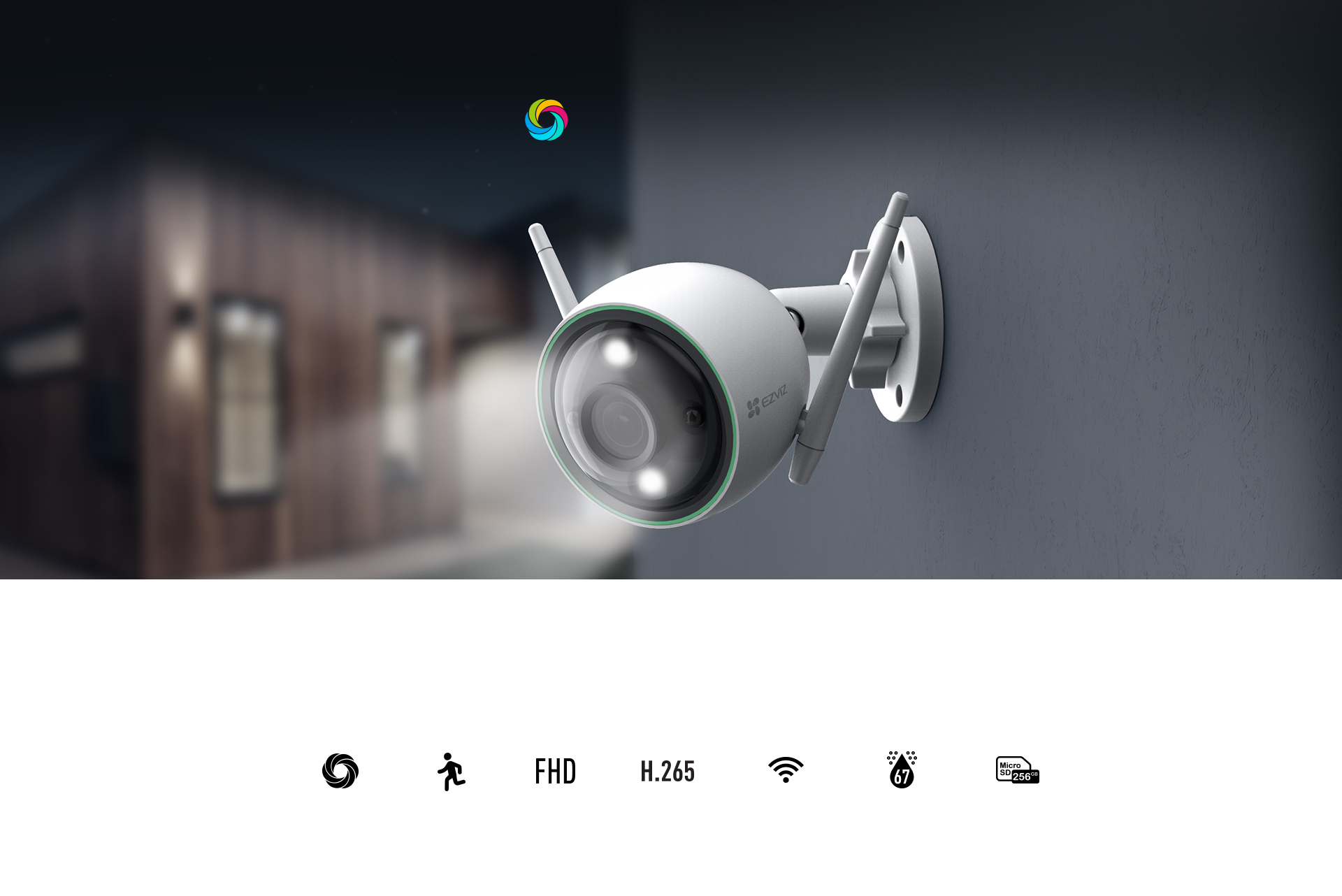
A plug-in Wi-Fi outdoor camera covering the driveway or front door is a solid start. If the recipient is planning renovations or is handy with tools, a small PoE kit with a recorder is a bigger but more reliable gift. Make sure someone can actually install it, as running network cable outside in December is not everyone's idea of fun.
A summer cottage or rural property
Many cottages have no fixed internet. A 4G camera with a SIM card, possibly paired with a solar panel, is the logical choice. Remember that solar output is very low in northern Europe in midwinter, so expect to charge the battery manually until spring, and check mobile coverage at the site before buying.
Pet owners
Indoor cameras with two-way audio let owners talk to pets while away. Pan-tilt models are useful because pets rarely stay in one spot.
Check the Wi-Fi, Phone and Power
This is where most gift cameras fail. A few quiet checks save a lot of frustration.
- Wi-Fi band: Many cameras connect only to 2.4GHz Wi-Fi. Most home routers broadcast both 2.4GHz and 5GHz, but some combine them under one name, which can confuse setup. Dual-band cameras are more flexible.
- Signal at the location: If the router is at one end of the house and the camera will be at the other, or outside behind thick walls, the signal may be too weak. A mesh system or range extender may be needed.
- Smartphone: Camera apps need a reasonably recent iOS or Android version. A very old phone may not run the current app.
- Power: Plug-in cameras need a socket nearby. Battery cameras avoid cables but need recharging, and battery life drops noticeably in freezing weather. Outdoors in Estonian or Finnish winters, a mains-powered camera is often less hassle.
- No internet at all? Look at 4G cameras or models that record locally to a card and can be viewed on site.
Do Not Forget Storage
Many cameras do not include a memory card in the box. Without storage, the camera may show live video but record nothing, which is disappointing on the first day.
- Check the box contents and the maximum card size the camera supports.
- Add a high-endurance microSD card designed for continuous video recording. Ordinary cards meant for photos wear out faster under constant writing.
- Mention cloud storage honestly. Most brands offer optional cloud plans. Some recipients prefer to avoid ongoing subscriptions, so choose a camera that works well with local storage alone.
- For PoE kits, check whether the recorder comes with a hard drive installed or needs one added.
Tucking a memory card into the gift is a small touch that makes the camera usable straight away.
Gift Ideas Beyond the Classic Home Camera
Surveillance gear covers more than cameras on walls. Depending on the person, one of these may suit better.
- Dashcam: Useful for anyone who drives a lot, especially in winter conditions. Check whether the recipient wants parking mode, as that usually requires hardwiring or a dedicated power accessory.
- Trail camera: Popular with hunters, landowners and wildlife enthusiasts, and well timed for the hunting season. Cellular models can send photos to a phone; standard models store images on a card.
- Video doorbell: A practical choice for those who receive many parcels or have trouble getting to the door quickly.
- Accessories for an existing system: If someone already has cameras, a good mount, an extra endurance card, a small UPS or an outdoor junction box can be more welcome than another camera.
Set It Up Together
The best way to give a camera is to offer an hour of your time with it. Setup is quick for someone familiar with apps, but daunting for many others.
- Create the account in the recipient's name. They should own the camera and its footage. If you need access, use the app's sharing feature rather than logging in with their password.
- Use a strong, unique password and enable two-factor authentication where the app offers it.
- Update the firmware during setup, as cameras often ship with older software.
- Tune notifications. Draw motion zones away from roads and trees and enable person detection if available. Constant false alerts are the main reason people turn notifications off.
- Check the time and date so recordings are correctly stamped.
- Show them how to find and save a clip. Knowing how to play back footage matters more than any feature on the box.
If you cannot be there in person, write a short note with the Wi-Fi requirements and first steps, or arrange a video call during setup.
Conclusion
A security camera makes a genuinely useful Christmas present when it fits the recipient's home and habits. Check that they want one, match the type to where it will go, confirm Wi-Fi, phone and power, and include a high-endurance memory card. Offer to help with setup and privacy settings, and your gift will be watching over their home long after the holiday season is over.
Request an installation quote View all: WiFi and Battery Cameras →
 Buying GuidesWatch Security Cameras on Your Phone: App Setup Guide
 Buying GuidesAway for Christmas? Security Camera Checklist Before You Go
 Buying GuidesReolink vs Hikvision vs Dahua: Which Camera Brand Suits You?