Buying Guides · updated 2026-10-26
Security Cameras in Rain: Stop Droplets, Blur and False Alerts
Why Rain Causes So Many Camera Problems
Late autumn in northern Europe brings long, dark evenings and plenty of rain. A camera that looked perfect in summer can suddenly produce blurry footage, white specks at night and dozens of pointless notifications every hour. In most cases the camera is not faulty. It is simply mounted or set up in a way that does not suit wet weather.
Rain affects outdoor cameras in four main ways:
- Droplets on the lens or dome blur the image, sometimes so badly that faces and number plates become unreadable.
- Night lighting reflects off raindrops, so infrared or spotlight cameras show glowing streaks and specks close to the lens.
- Motion detection reacts to rain, moving branches, puddle reflections and water running down walls.
- Water reaches the cable connections, which can lead to dropouts or corrosion over time.
The good news is that most of these problems can be solved with better positioning and a few settings changes, without replacing the camera.
Mount Under Cover Wherever Possible
The single most effective fix is to keep rain off the front of the camera in the first place. A weatherproof rating such as IP66 means the housing can cope with water, but it does nothing to stop droplets sitting on the glass.
When choosing a spot on the wall, look for natural shelter:
- Under the eaves or a roof overhang is ideal. Even a short overhang blocks most vertical rain.
- Under a porch roof, carport or canopy works well for entrances and driveways.
- On the leeward side of the building, away from the prevailing wind, if you have a choice between two similar positions.
Avoid mounting directly below a gutter outlet, a leaking gutter joint or the edge of a roof without guttering, where water pours or drips in a steady stream. Watch the wall during a heavy shower before drilling – you will quickly see where water runs and splashes.
If there is no overhang, many bullet cameras come with a built-in sun shield, and some manufacturers offer separate hoods or rain covers for specific models. Check that any accessory is designed for your camera, as an ill-fitting cover can block part of the view or reflect infrared light back into the lens.
Angle and Camera Type Matter
A camera tilted slightly downwards sheds water far better than one pointing at the horizon. Droplets run off a downward-facing lens, while a lens facing level or upwards collects them. Aim for a modest downward tilt that still covers your area of interest – which also improves face capture and reduces glare from the sky.
Camera shape makes a difference too:
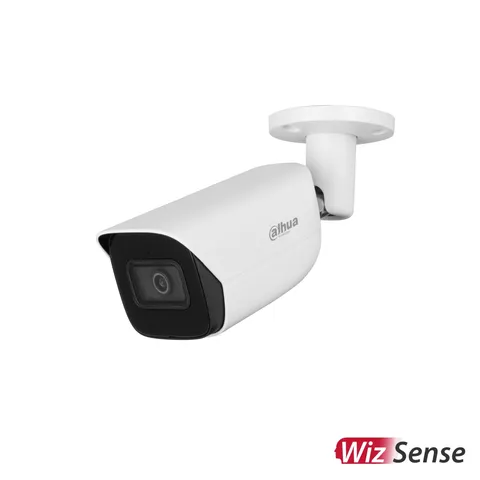
- Bullet cameras usually have a recessed lens and a shield above it, which helps in exposed positions.
- Turret (eyeball) cameras have a flat glass front that stays fairly clear when tilted down, and suit soffits and walls under overhangs.
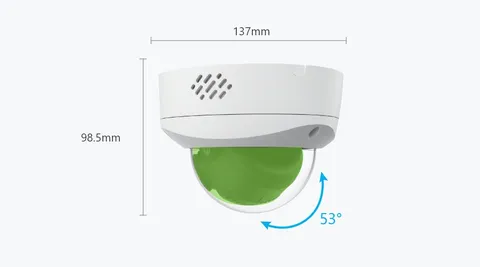
- Dome cameras have a curved cover where droplets can sit directly in the field of view. They work best when mounted under a ceiling or soffit, not exposed on a wall.
- PTZ cameras also use a dome, so a sheltered position or a proper wall bracket with an overhang is recommended.
Wall Mounting in Exposed Spots: Brackets and Cable Entry
Sometimes the best viewpoint is on an exposed wall or a fence post. In that case, protect the weak point – where the cable enters the camera and the wall.
- Use a junction box or suitable bracket. Many camera brands make junction boxes that sit behind the camera and hide the cable connectors inside. This keeps the RJ45 plug and power lead out of the rain.
- Use a corner or pole mount where needed, so the camera can sit tight against the building rather than sticking out into the weather.
- Form a drip loop. Let the cable dip below the entry point before it rises into the wall or camera, so water drips off the lowest point instead of following the cable inside.
- Drill entry holes slightly upwards from the outside, so water cannot run along the hole into the wall.
- Seal holes and use the supplied waterproof caps on network connectors. Exterior-grade sealant around cable entries is a sensible extra step.
Fixings matter in wet climates as well. Use stainless or corrosion-resistant screws and plugs suited to your wall material, so rust does not stain the façade or loosen the bracket after a few winters.
Night Vision Glare from Raindrops
At night, rain looks far worse than in daylight. Infrared LEDs and white spotlights light up every droplet near the camera, producing bright streaks, flickering specks and a hazy picture. Colour night vision cameras with built-in spotlights can show this effect strongly in heavy rain.
Ways to reduce it:
- Shelter the camera so fewer drops fall directly in front of the lens – the closest drops cause the most glare.
- Lower the infrared intensity or use smart IR if the camera offers it, especially when the scene is close.
- Use an existing external light such as a porch light or floodlight. Light coming from the side rather than from the camera itself makes raindrops far less visible.
- Consider switching spotlight modes. Some cameras let you choose between always-on, motion-triggered or infrared-only night modes; testing each on a rainy night shows which gives the clearest picture.
- Keep spider webs away, since webs catch droplets and shine brightly under infrared.
Cutting Rain-Triggered False Alerts
Basic pixel-based motion detection treats falling rain, swaying hedges and moving puddle reflections as motion. During a wet evening this can mean a constant stream of notifications and a microSD card or hard drive full of useless clips.
To bring alerts under control:
- Switch on person and vehicle detection if your camera or recorder supports it, and disable general motion alerts where possible.
- Reduce sensitivity a step at a time and test during actual rain, not on a dry afternoon.
- Redraw detection zones to exclude trees, bushes, gutters, the sky and areas where puddles form.
- Set a minimum object size if available, so small moving specks close to the lens are ignored.
- Battery cameras with PIR sensors react to heat and movement rather than rain itself, but wet branches warmed by the sun or wind-blown objects can still trigger them. Angle the PIR away from vegetation.
Fewer false recordings also help battery and solar cameras last longer during the dark months, when charging is already limited.
Keeping the Lens Clean Through Autumn
Rain itself evaporates without trace, but dirty water leaves marks. Dust, pollen, salt near the coast and road spray all build up on the glass and make droplets cling longer.
Clean the lens or dome gently with a soft microfibre cloth and a little clean water or mild soapy water, then dry it. Avoid abrasive cloths, kitchen cleaners and solvents, which can scratch or damage coatings. Some owners apply rain-repellent products to domes; if you try this, check the manufacturer's guidance first, as some products leave a film that causes extra glare under infrared.
Quick Checklist After a Stormy Night
- Review footage from the night – is the picture clear or covered in streaks?
- Check that all cameras stayed online and recorded without gaps.
- Look for water running down the wall onto any camera.
- Make sure brackets are tight and cameras have not shifted in the wind.
- Inspect cable entries and junction boxes for signs of moisture.
- Count how many alerts the rain produced and adjust settings if needed.
Conclusion
Rain does not have to ruin your footage. Mount cameras under an overhang where possible, tilt them slightly downwards, protect cable connections with junction boxes and drip loops, and choose detection settings that ignore weather. A little time spent now, at the start of the wet and dark season, means clearer images and fewer pointless alerts all winter long.
Request an installation quote View all: Surveillance Camera Mounts →
 Buying GuidesBullet vs Dome vs Turret Cameras: Which Shape Should You Buy?
 Buying GuidesSecurity Camera Brackets: Corner, Pole and Junction Box Mounts
 Buying GuidesFisheye Security Cameras: When a 360° Panoramic View Makes Sense