Buying Guides · bijgewerkt 2026-10-16
H.264 vs H.265: Video Compression for CCTV Explained
Why Compression Format Matters
When you set up a new camera or NVR, you will usually be asked to choose between H.264 and H.265 (sometimes shown as H.265+ or Smart H.265). This setting is often buried in a menu and easy to ignore, but it has a real effect on how much storage your footage uses, how much internet bandwidth your cameras need, and how smoothly you can view recordings remotely.
Understanding the difference helps you make better decisions when buying an NVR, choosing a microSD card, or working out whether your home broadband can cope with several cameras streaming at once.
What H.264 and H.265 Actually Are
Both are video compression standards, sometimes called codecs. Their job is to shrink raw video footage into a much smaller file without making it unwatchable. Without compression, even a single day of footage from one camera would need an enormous amount of storage.
H.264, also known as AVC, has been the industry standard for well over a decade. It is reliable, widely supported, and works with almost every camera, NVR, app and media player on the market.
H.265, also known as HEVC, is the newer standard. It uses more advanced compression techniques to achieve the same picture quality at roughly half the file size of H.264, or noticeably better quality at the same file size.
The Real-World Difference for Storage
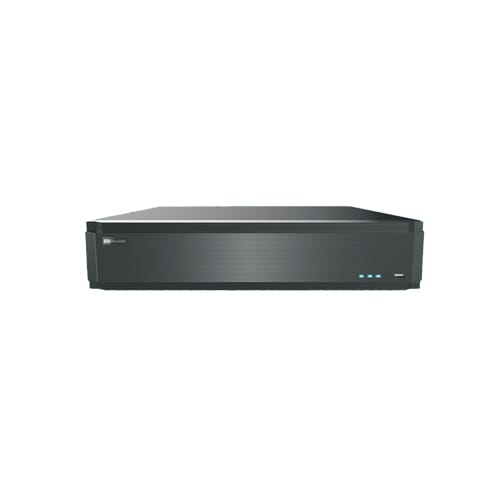
The most noticeable benefit of H.265 is storage saving. Because the files are smaller, a microSD card, hard drive or NVR storage bay can hold significantly more footage before it needs to be overwritten. This matters most for:
- Systems recording continuously rather than only on motion
- High-resolution cameras such as 4K or 8MP models
- Households that want a long recording history, for example 30 days or more
- Multi-camera systems where storage fills up faster
In practical terms, switching from H.264 to H.265 on the same camera can roughly double how many days of footage you can store on the same size of storage device.
The Difference for Bandwidth and Remote Viewing
Smaller files also mean less data needs to travel across your network or the internet. This is particularly relevant for two situations: 4G cellular cameras, where every megabyte counts towards your mobile data allowance, and remote viewing over a mobile app when you are away from home and relying on your phone’s data connection.
Cameras using H.265 typically send less data for the same picture quality, which can noticeably reduce mobile data usage on cellular cameras and make remote live view load faster and more reliably on a weak connection.
The Trade-Offs to Be Aware Of
H.265 is not automatically the better choice for everyone, and there are a few practical considerations worth knowing before you switch.
- Processing power: Decoding H.265 requires slightly more processing power on the device playing it back. Very old phones, tablets or computers may struggle or drain battery faster.
- Compatibility: Some older NVRs, browsers or third-party viewing software do not support H.265 at all, or only support it for recording but not for smooth playback.
- Editing and export: If you regularly export clips to share as evidence, H.264 files are more universally compatible with media players and editing software, since almost everything can open them without extra codecs.
- Mixed systems: If you are adding new cameras to an existing NVR, check that the NVR supports H.265 before assuming you will get the storage benefit.
Smart H.265 and Similar Technologies
Many manufacturers offer an enhanced version of H.265, often branded with names like Smart H.265 or H.265+. These build on standard H.265 by applying extra compression specifically to areas of the frame with no movement, such as an empty driveway or static background, while keeping full detail on moving objects like people or vehicles.
This can reduce file sizes even further without a noticeable drop in the quality of the parts of the footage that actually matter for identifying someone or something. If your camera or NVR offers this as an option, it is generally worth enabling for continuous recording setups.
Which Should You Choose?
For most new installations, H.265 is the sensible default, especially if you are recording continuously, using higher resolution cameras, or relying on a 4G connection where data usage matters. The storage and bandwidth savings are significant enough to be worth any small compatibility trade-off.
H.264 still makes sense if you need to guarantee playback compatibility with older software, if you frequently export footage to share with third parties who may not have H.265 support, or if your existing NVR does not support the newer standard and upgrading it is not practical right now.
Conclusion
H.264 and H.265 both do the same basic job of shrinking video files, but H.265 does it more efficiently, saving storage space and reducing data usage without sacrificing picture quality. If your cameras, NVR and viewing devices all support it, switching to H.265 is generally a worthwhile change. If in doubt, check your camera and NVR specifications before deciding, since the benefit only applies when every part of the system supports the newer standard.
 Buying GuidesMotion Detection Zones and Privacy Masks: Setup Guide
 Buying GuidesSecurity Cameras for Holiday Homes and Cottages: Setup Guide
 Buying GuidesSecurity Cameras in Winter: Cold Weather Tips and Fixes