Buying Guides · aktualizované 2026-10-16
4G Camera Data Usage: How Much Mobile Data Do You Need?
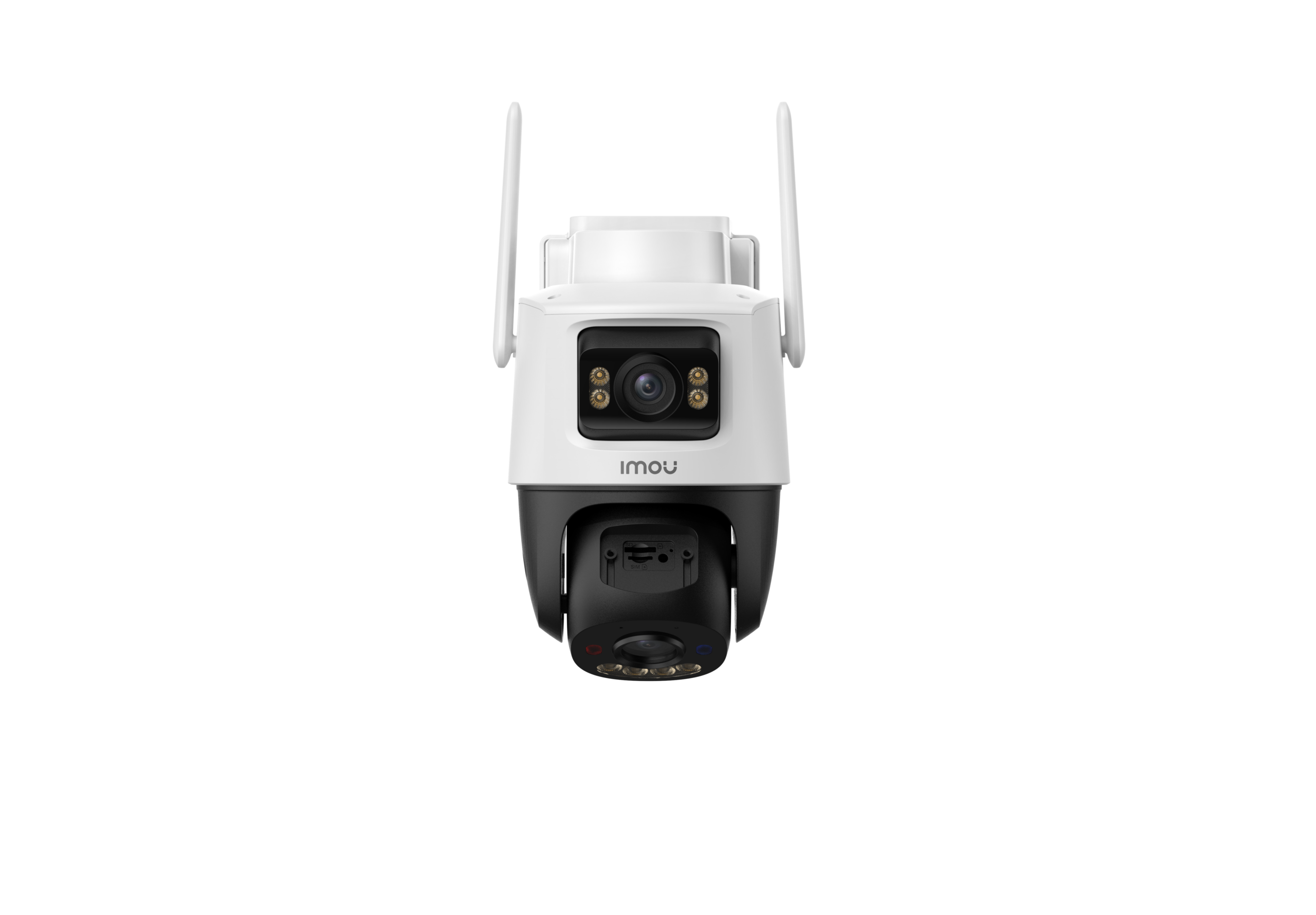
4G and LTE security cameras are brilliant for sheds, gates, holiday homes, building sites and any spot without a cable or Wi-Fi signal nearby. But because they rely on a mobile SIM card rather than your broadband, data usage becomes a real cost to think about. Get the estimate wrong and you either pay for far more data than you need, or run out mid-month and lose your alerts. This guide breaks down what actually consumes data on a 4G camera and how to choose a sensible plan.
What Actually Uses Data on a 4G Camera
A 4G camera does not stream continuously to your phone the way a live webcam might. Instead, it typically sends short video clips whenever motion or a person is detected, plus occasional live-view sessions when you open the app to check in. Firmware updates, thumbnail previews and heartbeat check-ins with the cloud server also use small amounts of data in the background.
The bulk of your monthly allowance, though, will almost always come from motion-triggered clips. A busy driveway or a spot where trees sway in the wind can generate dozens of triggers a day, and each one is a small video file uploaded or sent as a push notification with a thumbnail.
Rough Data Costs Per Activity
Exact figures vary by camera resolution, video codec and clip length, but as a general guide:
- A single motion-triggered clip (10-20 seconds, standard resolution) typically uses a few megabytes.
- Live viewing for a minute or two through the app can use noticeably more, especially at higher resolution.
- Thumbnail-only push notifications (no video) use very little data, often under a megabyte.
- Firmware updates are infrequent but can be tens of megabytes when they happen.
Multiply the clip size by the number of expected triggers per day, then by 30, and you get a rough monthly figure. A quiet rural gate might see 5-10 triggers a day; a camera facing a busy street or car park could see well over 100.
Resolution and Codec Make a Big Difference
Higher resolution recording looks sharper but uses noticeably more data per clip. If your camera supports it, switching from the highest resolution setting to a mid or lower one for motion clips can cut data use substantially while still giving you enough detail to identify people or vehicles. Cameras using the more efficient H.265 codec also use considerably less data than older H.264 models for the same picture quality, so this is worth checking before you buy if data cost matters to you.
Adjusting Detection Settings to Save Data
Because most data comes from triggered clips rather than continuous streaming, tuning your motion and detection settings has the biggest impact on your bill. A few adjustments to consider:
- Enable smart detection (person or vehicle) rather than generic motion, so swaying branches or passing clouds do not trigger recordings.
- Set a sensible detection zone that excludes public pavements, roads or neighbouring gardens where movement is constant but not relevant.
- Reduce clip length if your camera allows it, so each trigger uses less data without losing the useful moment.
- Use scheduling to disable detection during hours when triggers are expected and unimportant, such as daytime on a site where staff move around constantly.
- Consider a longer trigger interval so the camera does not send a fresh clip every few seconds during sustained movement.
Choosing the Right SIM Plan
European mobile operators offer a wide range of data-only SIM plans, and IoT or M2M SIMs designed for devices like cameras are often more cost-effective than a standard phone plan. When comparing plans, look for ones with no aggressive throttling at low speeds, since a camera does not need blistering upload speed, just consistent availability. Also check whether the plan works across the country you are installing in and, if you travel between EU countries, whether roaming is included or restricted.
For a genuinely quiet location with smart detection tuned well, a modest monthly allowance is often enough. For a busy site with frequent live viewing and lots of traffic passing by, a larger allowance or an unlimited-style plan will save you from constantly monitoring usage.
Monitoring Usage in Practice
Most 4G cameras and their companion apps show a running data usage total, which is worth checking in the first week or two after installation. This gives you a real-world figure rather than a guess, and lets you adjust detection zones or resolution settings before a billing cycle ends. If usage is climbing faster than expected, the most common culprits are an overly wide detection zone, sensitivity set too high, or a spot with genuinely heavy foot or vehicle traffic.
Combining 4G with Solar Power
It is worth remembering that data usage and battery usage are connected. A camera that is triggering constantly is not only using more data, it is also draining its battery faster, which matters if it is solar-powered in a location with limited sunlight. Tuning detection settings to reduce unnecessary triggers therefore helps on both fronts at once, extending runtime and keeping your data bill predictable.
Practical Conclusion
4G cameras are a genuinely useful solution for locations without cabling or Wi-Fi, but mobile data is a resource to manage rather than ignore. Start with a mid-sized data plan, enable smart person or vehicle detection, set tight detection zones, and check real usage figures in the app during the first few weeks. From there, you can scale your SIM plan up or down with confidence, rather than guessing and hoping for the best.
 Buying GuidesMotion Detection Zones and Privacy Masks: Setup Guide
 Buying GuidesSecurity Cameras for Holiday Homes and Cottages: Setup Guide
 Buying GuidesSecurity Cameras in Winter: Cold Weather Tips and Fixes