Buying Guides · aggiornato 2026-11-22
Upgrading Old Analogue CCTV: Keep the Coax or Go IP?
Why Old CCTV Systems Let You Down in Winter
Late November is when an ageing CCTV system shows its weaknesses most clearly. Long dark evenings mean the cameras spend most of the day in night mode. Snow reflects infrared light, and wet roads add glare. If the system was installed ten or fifteen years ago, the footage is often too soft to recognise a face or read a number plate, even in daylight.
Many homes, shops, workshops and blocks of flats still run on old analogue cameras connected by coaxial cable to a DVR. The good news is that you rarely need to rip everything out. Depending on the cabling and on what you want from the system, there are several sensible upgrade paths. This guide explains each one, what you can reuse and when a complete move to IP cameras is the better long-term choice.
First, Find Out What You Actually Have
Before buying anything, spend half an hour inspecting the existing installation. The answers decide which route makes sense.
- Cable type: Check the cable at the back of the recorder. Thick round cable with BNC connectors is coax, often paired with a separate power cable or a combined "shotgun" cable. Ethernet cable with RJ45 plugs means you may already have a network-ready installation.
- Cable condition: Look for cracked outer sheaths, corroded BNC connectors and joints wrapped in tape outdoors. Water inside coax degrades the signal, and this gets worse with high-definition video.
- Cable length: Estimate the longest run from the recorder to a camera. This matters for both HD-over-coax and network solutions.
- Power: Note whether the cameras are powered from a central power supply box, individual plug-in adapters or the recorder itself.
- Recorder: Read the model label on the DVR. Some later-generation DVRs are already HD-capable or hybrid, which may save you a replacement.
- Mounting points: Check whether the existing brackets and junction boxes are sound and in the right places. A good camera in a poor position is still a poor camera.
Option 1: Stay on Coax with HD Analogue Cameras
The quickest upgrade is to keep the coaxial cabling and replace the old standard-definition cameras and DVR with modern HD analogue equipment. Hikvision calls its range Turbo HD (HD-TVI), and Dahua uses HDCVI. These technologies send high-resolution video over the same coax that used to carry low-resolution analogue pictures.
Advantages:
- No new cable runs through walls, ceilings or frozen ground.
- HD analogue generally tolerates longer coax runs well, which suits farms, warehouses and large plots.
- The setup is simple, and the recorder handles most of the configuration.
Limitations:
- Smart features such as people and vehicle detection are usually more limited than on comparable IP cameras.
- Each camera still needs its own power, so the existing power supply must suit the new cameras' consumption.
- The range of resolutions and advanced features is narrower than in the IP world.
Stay with one family of technology per system. Mixing brands on analogue is less straightforward than with IP cameras, so check that the cameras and the recorder support the same HD analogue standard.
Option 2: A Hybrid Recorder as a Stepping Stone
Many current HD analogue recorders are hybrid. They accept coax cameras on their BNC inputs and also a number of IP cameras over the network. This is a practical way to upgrade in stages, which is useful if your budget or the weather does not allow a full reinstallation now.
A typical plan looks like this:
- Replace the old DVR with a hybrid recorder and keep the working analogue cameras.
- Upgrade the most important positions first, such as the entrance, driveway or till, with HD analogue or IP cameras.
- Add IP cameras over new network cabling where you can run it easily, for example inside the building.
- Replace the remaining analogue cameras gradually as cables are renewed.
Check the recorder's specification for how many IP channels it supports and what resolution they can record. IP cameras on a hybrid recorder usually need a separate PoE switch, because hybrid units often do not have built-in PoE ports.
Option 3: IP Cameras over Existing Coax
If you want IP cameras but replacing the cable is difficult, for example through a finished interior or underground, you can use Ethernet-over-coax converters. A pair of adapters, one at each end of the existing coax, carries network data, and with some models also PoE power, over the old cable.
This works well in the right situation, but keep these points in mind:
- The achievable bandwidth and distance depend on the cable quality and the specific converters. Always check the manufacturer's figures.
- Old, damaged or water-affected coax may not give a stable connection.
- Each camera needs a pair of converters, which adds connection points and possible points of failure.
- Not all converters carry power, so you may still need local power at the camera end.
Treat this as a problem-solver for one or two difficult runs rather than a default choice for the whole system.
Option 4: A Full Move to IP and PoE
If the coax is in poor condition, or if you want the best image quality and the most modern features, new Cat5e or Cat6 network cabling with PoE is the strongest long-term choice. One cable carries both power and data, the cameras connect to an NVR with built-in PoE ports or to a PoE switch, and you gain access to the full range of current IP cameras.
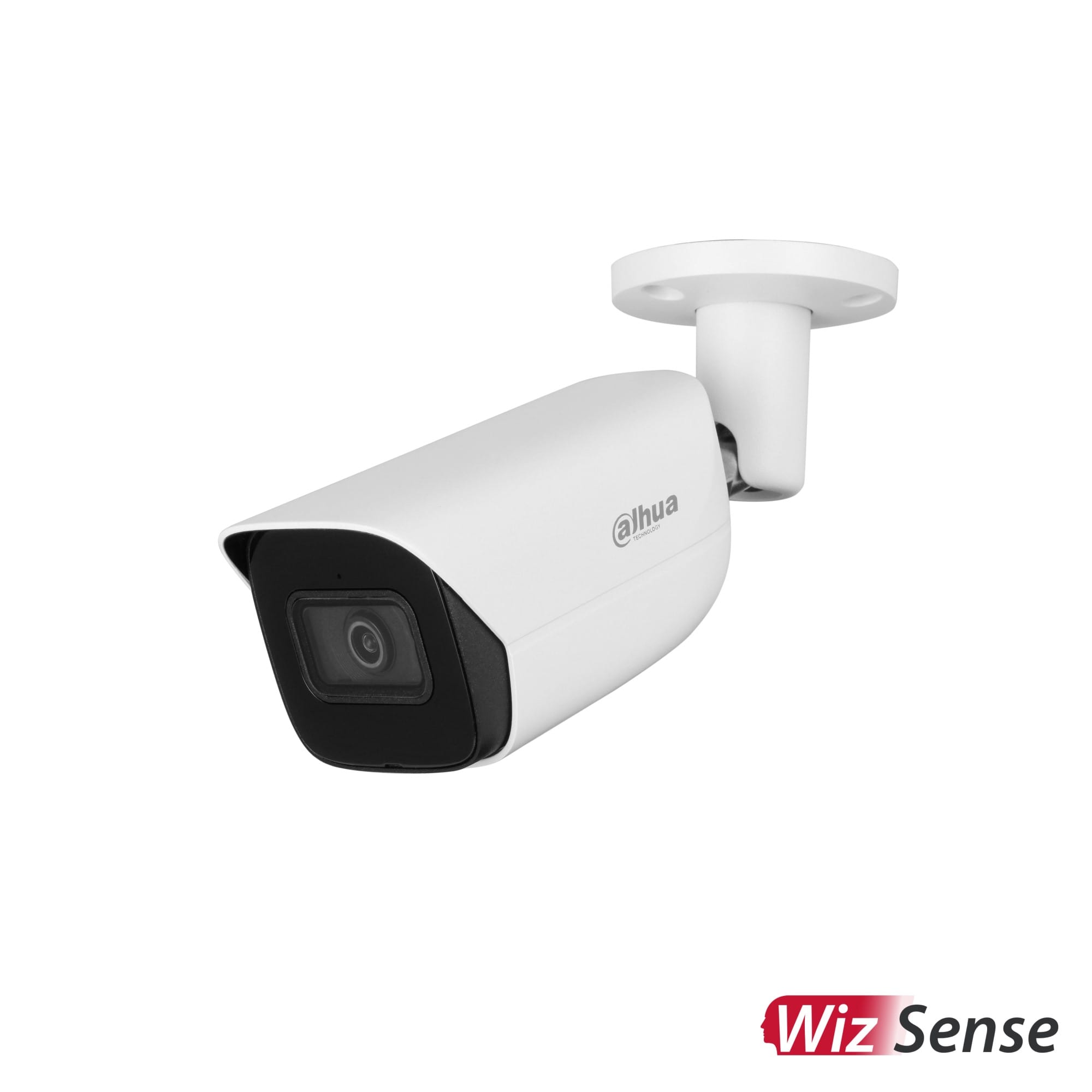
These include Hikvision AcuSense and ColorVu models, Dahua WizSense cameras, and Reolink PoE ranges. Benefits include:
- Higher resolutions and sharper night footage.
- Reliable human and vehicle detection, which cuts false alerts from snow, headlights and animals.
- Line-crossing and intrusion rules.
- Better mobile app integration.
- Freedom to mix brands through ONVIF if needed.
The old coax can sometimes act as a draw wire. Tie the new network cable to it and pull it through the same route. This only works if the cable is not clipped or plastered in along the way, so test gently. Pulling too hard can leave you with neither cable.
Winter Timing: What to Do Now and What to Leave for Spring
In northern Europe, the season affects the upgrade plan.
- Indoor work is ideal now. Replacing the recorder, installing a PoE switch, adding a UPS and running cable inside the building can all be done comfortably in November and December.
- Be careful with cable in hard frost. Many standard cable sheaths become stiff and can crack when bent at low temperatures. Warm the cable indoors before installation, and avoid tight bends outside.
- Seal every outdoor joint properly. Use a junction box or a weatherproof connector rather than tape. Moisture that freezes and thaws will find any gap.
- Swap cameras on existing cables first. If the cabling is sound, replacing the camera heads is a quick job even in winter. Leave new trenching or large facade work for spring.
When you replace cameras, check that the new camera fits the existing bracket or junction box. If it does not, use a mount designed for the new model rather than drilling fresh holes in an old pattern. This avoids leaks and gives a cleaner finish.
Which Route Suits You?
A quick rule of thumb:
- Coax in good condition, simple needs, long cable runs: HD analogue (Turbo HD or HDCVI) with a new recorder.
- Mixed situation, limited budget now: a hybrid recorder, then upgrade in stages.
- One or two runs that cannot be recabled: Ethernet-over-coax converters for those cameras only.
- Damaged cabling, or you want smart detection and top image quality: new network cabling and a full IP/PoE system.
Whichever path you choose, plan storage for the new resolution. HD footage takes far more space than old analogue video, so a hard drive that was large enough before may now hold only a few days of recordings. Also, change any old default passwords, and update firmware as soon as the new recorder is online.
Conclusion
An outdated CCTV system does not always mean starting from scratch. Inspect the cabling, decide what you really need the cameras to do, and choose between HD over coax, a hybrid recorder, IP over coax or a full move to PoE. Do the indoor work during the dark months and save major outdoor cabling for milder weather. By spring, you can have clear, reliable footage without unnecessary expense or disruption.
Richiedi un preventivo di installazione Vedi tutti: Videoregistratori per telecamere di sorveglianza →
 Buying GuidesOra sbagliata sulla telecamera? Correggi orologio e ora legale
 Buying GuidesGuida al videocitofono IP: posto esterno e monitor interno
 Buying GuidesHikvision and Dahua IP Cameras: First Setup and Activation