Buying Guides · ενημερώθηκε 2026-11-26
PoE Power Budget: Can Your Switch or NVR Power Every Camera?
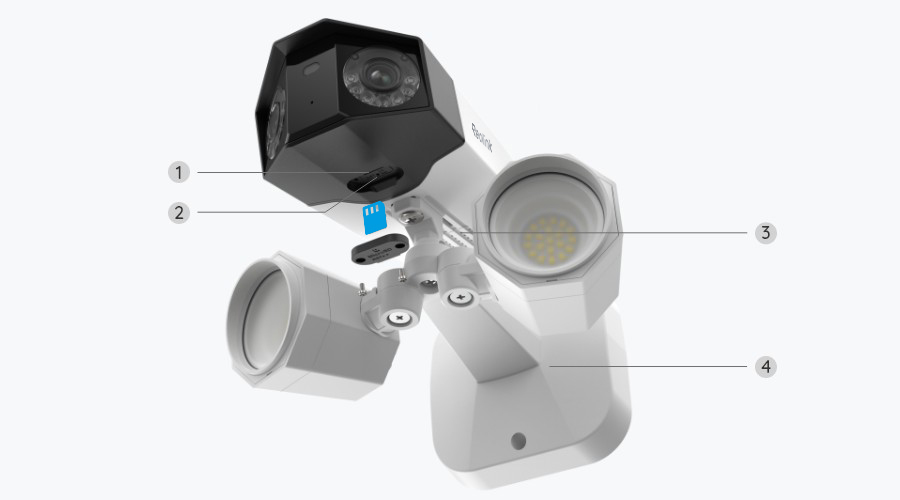
Power over Ethernet makes installing security cameras simple. One cable carries both the video and the power, and an NVR with built-in PoE ports or a PoE switch does the rest. There is one detail that catches out many home owners and small businesses, though: every PoE device has a limited power budget. If your cameras need more power than the switch or recorder can deliver, you can get strange faults that are hard to trace.
This is a particular problem in late autumn and winter. In northern Europe, cameras now run their infrared illuminators for most of the day, and some outdoor models switch on heaters in the cold. This guide explains how PoE power budgets work, how to calculate yours, and what to do if you are close to the limit.
What a PoE Power Budget Actually Means
A PoE switch or NVR has two separate limits, and you need to check both.
- Per-port limit: the maximum power a single port can supply. This depends on the PoE standard the port supports.
- Total power budget: the maximum combined power the device can supply across all ports at the same time.
The total budget is often lower than the number of ports multiplied by the per-port maximum. Take an 8-port switch where every port supports PoE+. It may still have a total budget that only covers a few ports running at full power. The datasheet will list this figure as "PoE budget", "total PoE power" or something similar. The same applies to NVRs with built-in PoE ports.
PoE Standards and How Much Power They Deliver
The IEEE standards define how much power a port supplies and how much reaches the camera after losses in the cable:
- 802.3af (PoE): up to 15.4 W per port, about 12.95 W available at the device.
- 802.3at (PoE+): up to 30 W per port, about 25.5 W available at the device.
- 802.3bt (PoE++), Type 3: up to 60 W per port, about 51 W at the device.
- 802.3bt (PoE++), Type 4: up to 90 W per port, about 71 W at the device.
Most fixed bullet, dome and turret cameras run comfortably on standard PoE. PTZ cameras, multi-lens models and cameras with heaters, strong illuminators or built-in sirens may need PoE+ or more. Some manufacturers also use their own names for high-power PoE modes. Always check that the switch or NVR port supports the standard the camera actually needs.
How to Calculate Your Power Budget
The calculation is simple, but use the right figures. Follow these steps:
- Find the maximum power consumption of each camera. Look in the datasheet for "max power consumption", not the typical figure. The maximum usually includes IR illumination, heaters and other features running at full power.
- Add up the maximum figures for every device powered from the same switch or NVR. This includes cameras, access points, intercom door stations and any other PoE devices.
- Add a safety margin of around 20–30%. This covers cable losses, ageing components and devices you might add later.
- Compare the result with the total PoE budget of the switch or NVR. Also check that no single device needs more than its port can supply.
Here is an illustrative example with round numbers, not tied to any particular model. Suppose you have six fixed cameras at 8 W maximum each and one PTZ camera at 25 W maximum. That gives 48 W plus 25 W, or 73 W in total. Add a 25% margin and you need roughly 91 W. A switch with a 60 W total budget would struggle. A model with a budget comfortably above 90 W, and at least one PoE+ port for the PTZ, would be a sensible choice.
Why Problems Often Appear in Winter
Many systems are installed in summer and run perfectly for months. Then, as the nights lengthen, faults begin to appear. There are several reasons for this:
- Infrared runs for longer. IR LEDs are one of the biggest power draws in a camera. In December in Estonia and Finland, IR can be active for well over half the day.
- Heaters switch on. Some outdoor cameras, especially PTZ models, have internal heaters or de-icing functions that activate in frost. These can increase power draw considerably.
- Supplementary lights and sirens. Cameras with white-light deterrence or colour night vision LEDs draw extra power when those lights are triggered.
- Several cameras switch at once. At dusk, all cameras change to night mode at almost the same moment. Total consumption then jumps in one step.
A system that sits at 80% of its budget on a summer afternoon can exceed 100% on a frosty December evening.
Warning Signs You Are Over Budget
An overloaded PoE switch or NVR does not usually announce itself clearly. Look out for these symptoms:
- Cameras reboot or drop offline around dusk, or when IR switches on.
- One camera, often the last one plugged in, will not power up at all.
- Recordings have gaps at night, while daytime footage is complete.
- A PTZ camera powers on but cannot move, or its heater does not seem to work.
- The switch or NVR shows PoE warnings or disabled ports in its interface.
Most managed switches and many NVRs show the current power draw per port and the total consumption in their web interface. Check this in the evening, once all cameras are in night mode, to see a realistic figure.
Cable Length and Quality Also Matter
Power is lost as heat along the cable, and longer runs lose more. The PoE standards assume runs of up to 100 metres using proper copper cable. Cheap copper-clad aluminium (CCA) cable has higher resistance. On a long run it can cause voltage drop, and a camera may then work in the daytime but fail when its consumption rises at night.
- Use solid copper Cat5e or Cat6 cable for camera runs.
- Keep runs within 100 metres, or use a PoE extender for longer distances.
- Avoid daisy-chained couplers and poor-quality connectors, which add resistance.
- Choose outdoor-rated cable for runs exposed to frost and UV light.
How to Fix or Avoid an Overloaded System
If your calculation or your symptoms show you are near the limit, you have several options:
- Split the load. Move some cameras from the NVR's built-in ports to a separate PoE switch with its own budget.
- Use a PoE injector for the power-hungry device. A single PTZ camera on its own injector takes a large load off the main switch.
- Upgrade to a switch with a higher budget. When buying, look at the total PoE budget first, then the number of ports.
- Set port priorities. Many managed switches let you mark important ports as high priority. If the budget runs short, less important devices are cut first.
- Review camera settings. Where night footage remains good enough, you can reduce supplementary light usage or rely on existing outdoor lighting. Treat this as fine-tuning, not a substitute for sufficient power.
- Consider a UPS. A UPS keeps the switch and cameras running during power cuts. Make sure it is sized for the full PoE load, not just the switch's idle consumption.
Planning a New Installation
If you are planning a new system, build in spare capacity from the start. Choose an NVR or switch whose budget covers your planned cameras at maximum consumption, plus room for one or two more. Expansion is common: many households and businesses add a camera for the driveway, a video intercom or a PTZ camera within a year or two. Check the datasheets of every PoE device you intend to connect. If a figure is unclear, ask the manufacturer or your supplier before installing.
Conclusion
A PoE power budget is easy to overlook and easy to get right. Add up the maximum consumption of every device, include a sensible margin, and check both the per-port limits and the total budget. Pay special attention to PTZ cameras and to winter conditions, when long nights and frost push consumption to its peak. With enough headroom, your cameras will keep recording reliably through the darkest months of the year.
 Buying GuidesFind CCTV Footage Fast: Smart Search on NVRs and Apps
 Buying GuidesNew microSD Card in Your Camera: Install, Format and Test
 Buying GuidesUpgrading Old Analogue CCTV: Keep the Coax or Go IP?