Buying Guides · nuashonraithe 2026-10-20
Dual-Lens Security Cameras Explained: Are Two Lenses Better?
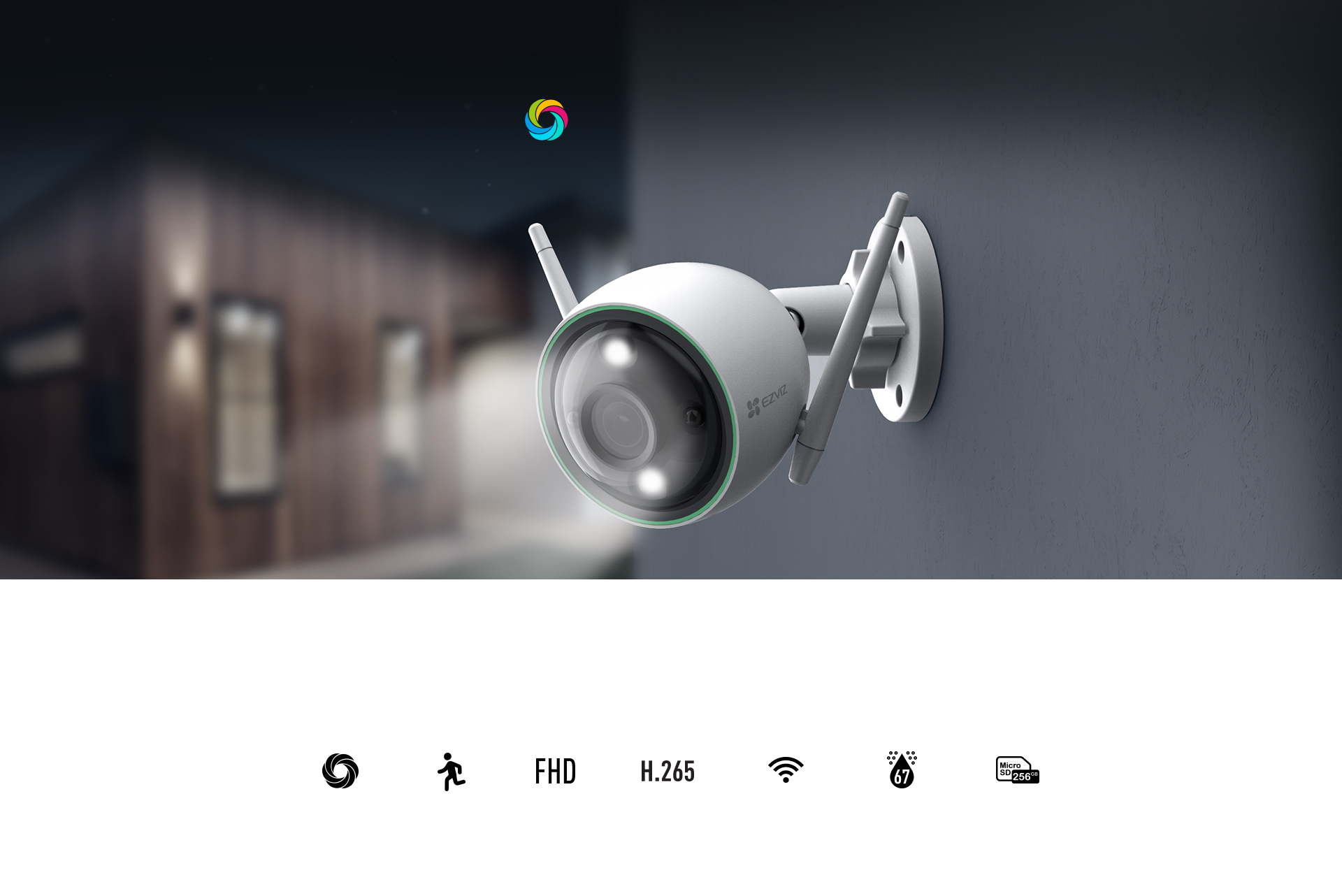
Dual-lens security cameras have moved from niche to mainstream. Brands such as EZVIZ, Reolink, Imou and others now offer models that combine two lenses in one housing, such as the EZVIZ H9C (5MP+5MP) and the EZVIZ H80x (8MP+2MP). The promise is simple: more coverage and more detail from a single mounting point and a single cable. This guide explains how these cameras work, where they make sense and what to check before you buy one.
What Is a Dual-Lens Security Camera?
A dual-lens camera has two separate lenses and image sensors in one body. Each lens produces its own video stream. Depending on the design, you see the two views side by side, one above the other, or merged into a single wide image in the app.
Two lenses solve a problem every single-lens camera has. A wide lens covers a large area but shows little detail at a distance. A narrow or zoomed lens shows detail but misses what happens at the edges. A dual-lens camera gives you both at the same time, so you do not have to choose between the overview and the close-up.
The Main Types of Dual-Lens Design
Not all dual-lens cameras work the same way. The most common designs are:
- Fixed lens plus pan/tilt lens: one lens gives a constant wide overview while the second lens can rotate and follow movement. This is the design used in popular pan/tilt models such as the EZVIZ H9C and H80x. The fixed view never loses sight of the whole area, even while the moving lens is tracking someone.
- Wide lens plus telephoto lens: both lenses usually point the same way. One covers the scene and the other gives a magnified view of the centre, for example a gate or driveway entrance further away.
- Panoramic dual-lens: two lenses angled apart, with the images stitched into one very wide picture. This suits long frontages, car parks and wide gardens where you would otherwise need two cameras.
- Two lenses facing different directions: less common, but useful on a corner where you want to watch two sides of a building at once.
Some models also combine lenses with different resolutions, for example a higher-resolution main lens for detail and a lower-resolution lens for the overview. Always read the specification to see which lens does what.
Where Dual-Lens Cameras Make Sense
A dual-lens camera is most useful when one mounting point has to cover both a wide area and a specific spot that needs detail. Typical examples include:
- A driveway where you want to see the whole yard and still identify faces at the gate.
- A garden or courtyard with several entry points.
- A small shop, warehouse or workshop where one camera must watch the entrance and the floor area.
- Farm buildings, garages and outbuildings, where running several cables is impractical.
- Indoor spaces such as a large living room or open-plan office, where a dual-lens indoor model can follow movement without losing the overview.
In late autumn this matters more than usual. With long, dark evenings in northern Europe, most suspicious activity happens in poor light, and a camera that keeps both the overview and a tracked close-up gives you a much better chance of usable footage. It is also a good time to install before frost and snow make outdoor work harder.
Limitations and Trade-Offs
Two lenses are not automatically better than two well-placed separate cameras. Keep these trade-offs in mind:
- One location, one perspective: both lenses view the scene from the same point. Two separate cameras placed at different angles can cover blind spots and see faces from more than one direction.
- Single point of failure: if the camera is damaged, unplugged or loses its connection, you lose both views at once.
- Night performance can differ between lenses: check whether both lenses have infrared or colour night vision and whether the range is the same. The secondary lens is sometimes less capable in the dark.
- Stitched images may show seams: panoramic models blend two images, and objects close to the camera can look slightly distorted where the views join.
- Pan/tilt parts move: motorised lenses have mechanical parts, so mount them where they are protected from heavy ice build-up and direct impact.
Storage, Wi-Fi and Recording Considerations
Because a dual-lens camera produces two video streams, it needs more resources than a single-lens model.
Storage
Recording both lenses uses noticeably more space, roughly comparable to running two cameras. If you record to a microSD card, choose a high-endurance card of a capacity your camera supports, and expect it to fill up faster than with a single-lens camera. Higher-capacity cards, such as 256GB where supported, give you more days of history before old footage is overwritten. Check the manual for the maximum supported card size.
Wi-Fi
Two streams also mean more upload traffic. A Wi-Fi dual-lens camera placed at the edge of your coverage may stutter, drop frames or switch to lower quality. Test the signal at the exact mounting spot before drilling, and consider a wired connection or a mesh node closer to the camera if the signal is weak.
NVR compatibility
If you plan to connect a dual-lens camera to a network video recorder, check compatibility carefully. On many recorders each lens appears as its own channel, so one camera can use two of your NVR's channels. Same-brand combinations are usually the most reliable. Third-party recorders may only show one of the lenses or may not support linked features such as tracking.
Installation and Setup Tips
- Plan the views first: decide what the wide lens must cover and what the detail lens should focus on, then choose the mounting point that serves both.
- Mount at a sensible height: around 2.5 to 3 metres is a good starting point for most homes. Too high, and faces become the tops of heads.
- Use the right bracket: corner and pole brackets help you aim the camera along a wall or fence line without blocking one of the lenses.
- Keep the power supply sorted: if the socket is too far away, use a manufacturer-approved power extension cable rather than improvised connections, and keep outdoor joints sealed against moisture.
- Set detection zones per lens: many apps let you configure motion zones separately for each lens. Exclude roads and neighbours' property to reduce false alerts and respect privacy.
- Configure tracking and preset positions: on pan/tilt models, set a home position so the moving lens returns to the most important view after tracking.
- Test in the dark: check the footage at night before you consider the job finished, especially with long October and November evenings ahead.
Buying Checklist
Before choosing a dual-lens camera, ask yourself these questions:
- Is it for indoor or outdoor use, and does the weather rating suit your location?
- Which design do you need: fixed plus pan/tilt, wide plus telephoto, or panoramic?
- What is the resolution of each lens, and do both have suitable night vision?
- Does it connect over Wi-Fi, PoE or 4G, and is that connection reliable where you will mount it?
- Will you record to microSD, an NVR or the cloud, and how much storage will two streams need?
- Does it support smart detection such as person and vehicle recognition, and auto-tracking?
- Are two-way audio, a siren or a spotlight useful for deterrence at your property?
Conclusion
A dual-lens security camera is a smart choice when one mounting point must cover a wide area and still capture useful detail, or when you want auto-tracking without losing the overview. It saves cabling and keeps installation simple, but it uses more storage and bandwidth and cannot replace separate cameras watching from different angles. Match the lens design to your property, check storage and connectivity, and test the views in daylight and darkness. Done properly, one dual-lens camera can do the work of two.
 Buying GuidesExtending a Security Camera Power Cable: Safe Options
 Buying GuidesMotion Detection Zones and Privacy Masks: Setup Guide
 Buying GuidesSecurity Cameras for Holiday Homes and Cottages: Setup Guide